
How Meeting Notes Pro processes a meeting on your device first, then with AI.
The AI processing step takes about six minutes. The full cycle, including your review, depends on your meeting and your standards. Here is the workflow, end to end, and what stays on your device throughout.
From meeting end to exported draft.
Meeting ends, transcript captured.
Bring the transcript from Zoom, Teams, your phone, or any in-person recorder into Meeting Notes Pro on your computer. Original recordings stay on your device.
On your devicePII detected and tokenised, on your device.
Meeting Notes Pro scans the transcript for sixteen categories of personal information (names, account numbers, addresses, dates of birth, phone numbers, and others) and replaces each instance with a token. None of this leaves your computer.
On your deviceDe-identified transcript sent to AI.
The tokenised version of the transcript is sent over an encrypted connection to AWS Bedrock for processing. Your client’s identifying information is not in the transmitted data.
Crosses to AWS Bedrock · Montréal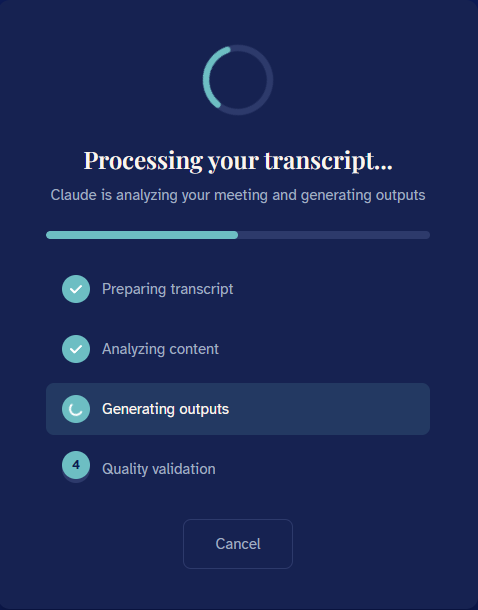
Draft documentation returns, PII reintegrated locally.
The AI returns a Canadian regulatory-aligned draft. Your computer matches the tokens back to the original PII so the draft you see contains the real client information; the AI provider never does.
On your deviceYou review and refine in the canvas editor.
Open the dual-pane editor, edit the draft against your standards, restructure where needed. The Style Analyzer learns your writing voice over time so subsequent drafts arrive closer to how you would have written it.
On your device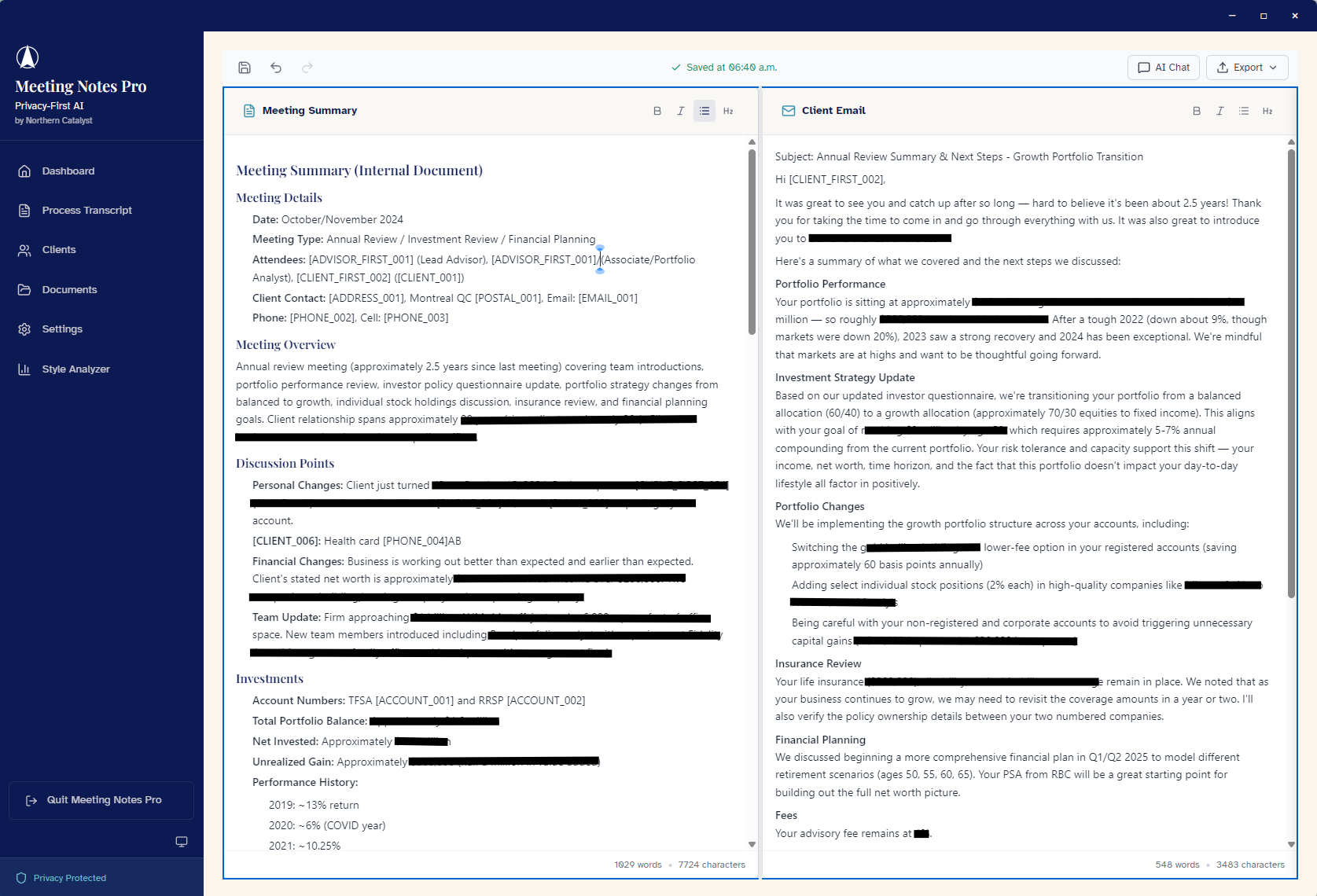
Export to Word and Outlook.
Send the finalised meeting summary to your CRM, your client follow-up email, or your firm’s documentation system.
On your deviceTiming
AI processing typically takes around six minutes per meeting. The review and refinement step is where your judgment lives, and that part stays in your hands.
What stays on your device. What crosses to AWS.
The visual relationship is part of the trust signal. Identifying information never crosses the bridge.
Original transcript and the keys to it.
Encrypted local storage with ChaCha20-Poly1305.
- The original transcript with all PII intact
- The PII detection and tokenisation engine
- The Style Analyzer and its learning data
- The final document with PII reintegrated
- All client data, in encrypted local storage
De-identified transcript only.
Entry point: ca-central-1 (Montréal).
- The de-identified transcript, with tokens in place of PII
- A request specifying the Canadian regulatory-aligned template
- Returned: the draft document, still with tokens in place
AWS Bedrock in the Montreal region is the entry point for all processing. The Claude Opus model that produces the draft may run its inference through US AWS regions as part of how AWS provisions capacity for that model. This is documented behaviour of AWS Bedrock cross-region inference, not a property of Meeting Notes Pro specifically. The transmitted data contains no client-identifying information by the time it reaches any region, which is the architectural point of doing PII removal on your device first.
What this means in practice.
Meeting Notes Pro stores no client data on external servers. Your transcripts, drafts, and exports live in encrypted storage on your computer. If you stop using the product, there is nothing on a vendor server to retrieve, transfer, or delete; everything is already with you.
The architecture matters under PIPEDA and Quebec Law 25. PIPEDA Principle 4 (Limiting Collection) and Principle 7 (Safeguards) both align with on-device PII handling: the AI provider does not collect identifying information from your client because that information never reaches them, and the safeguards are local rather than dependent on a vendor’s policies. Quebec Law 25’s stricter consent and breach notification requirements are easier to honour when the sensitive information has not been transmitted in identifying form in the first place.
For the full list of claims Meeting Notes Pro does and does not make about its compliance posture, the For Canadian Compliance page lays this out in detail. The honest accounting is part of the product.
Want to see this workflow in your own practice?
$29 paid once for the 90-day trial. Continues at $29/month after 90 days, locked in for early adopters.